.png?width=280&height=39&name=Projectworks-Logo-Black-280px%20(1).png)
- Overview
- New in This Release
- How to Enable the Resourcing Redesign Beta
- Bulk Shifting
- Other Improvements in the Redesign
- Helpful Tips
Overview
We've redesigned the Resourcing experience in Projectworks to make it simpler, faster, and more intuitive.
During the beta period, you can opt in and enable the beta whenever you're ready to try the new experience, and you can always disable the beta and opt out if you want to switch back.
Once the redesign becomes the standard Resourcing experience for everyone, this toggle will no longer be available. We'll give you advance notice before that happens.
New in This Release
The September 6 release includes:
- Budget financials across more Resourcing pages. For projects using Budget Level Resourcing, Budget Amount, Budget Burn, Remaining Budget, Projected Burn, and Projected Remaining are now available through Hide/Show Columns. In the previous Resourcing experience, these were only available on Project Resourcing. In the redesign, you can also use them in My Resourcing, Person Resourcing, Resourcing by Project, and Resourcing by Person, giving you greater visibility into budget performance wherever you manage resourcing.
- Project dates in more views. Project Start Date and Project End Date are now available through Hide/Show Columns in My Resourcing and Person Resourcing, extending their availability across the redesigned Resourcing experience.
- Faster Resourcing pages. We've made further performance improvements across the Resourcing experience, with especially noticeable improvements to My Resourcing.
-
Section totals stay visible. Subtotals now remain on the section header row when you expand or collapse projects, budgets, or people. We’ve also removed the duplicate subtotal rows that previously appeared at the bottom of some sections, making the grid more consistent and easier to scan.
How to Enable the Resourcing Redesign Beta
-
Go to ⚙️ Settings > Beta Features
-
Toggle on “Resourcing Redesign (beta)”
Important: Enabling this setting applies to your entire account.
Any user in your organization who accesses Project > Resourcing, Resourcing by Project, Resourcing by Person, My Resourcing, or Person Resourcing will see the redesigned experience.
Bulk Shifting
What is Bulk Shifting?
Bulk Shifting lets you move resourcing forward or backward by multiple days, weeks, or months in a single action.
You can:
- Shift all resourcing for an entire Project.
- Shift all resourcing for an individual Budget.
- Shift a Person or Placeholder's resourcing on a Project or Budget.
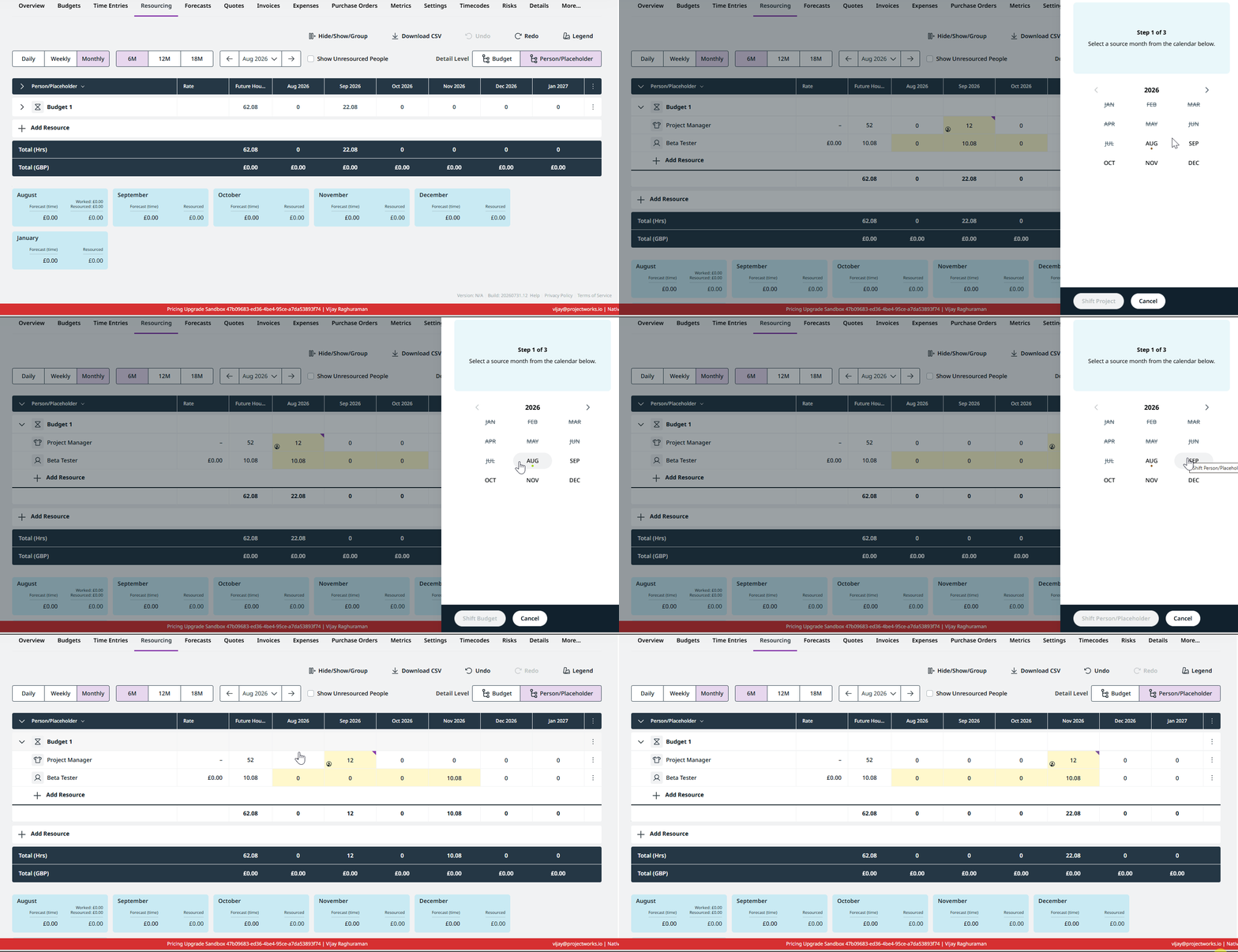
This is useful when a project timeline or phase changes and you need to move existing resourcing without adjusting each period individually.
How to shift an entire Project
- Open the Project’s resourcing plan.
- Click the ⋮ menu at the top-right of the Resourcing table.
- Select Shift Project.
- Choose how far you want to shift the resourcing, and whether to move it forward or backward.
- Click Shift Project to confirm.
How to shift an individual Budget
This is available for Projects resourced at the Budget level.
- Open the Project’s resourcing plan.
- Click the ⋮ menu at the far right of the Budget row.
- Select Shift Budget.
- Choose how far you want to shift the resourcing, and whether to move it forward or backward.
- Click Shift Budget to confirm.
How to shift a Person or Placeholder for a Project/Budget
- Open the Project’s resourcing plan.
- Click the ⋮ menu at the far right of the Person or Placeholder row.
- Select Shift Person/Placeholder.
- Choose how far you want to shift the resourcing, and whether to move it forward or backward.
- Click Shift Person/Placeholder to confirm.
Other Improvements in the Redesign
-
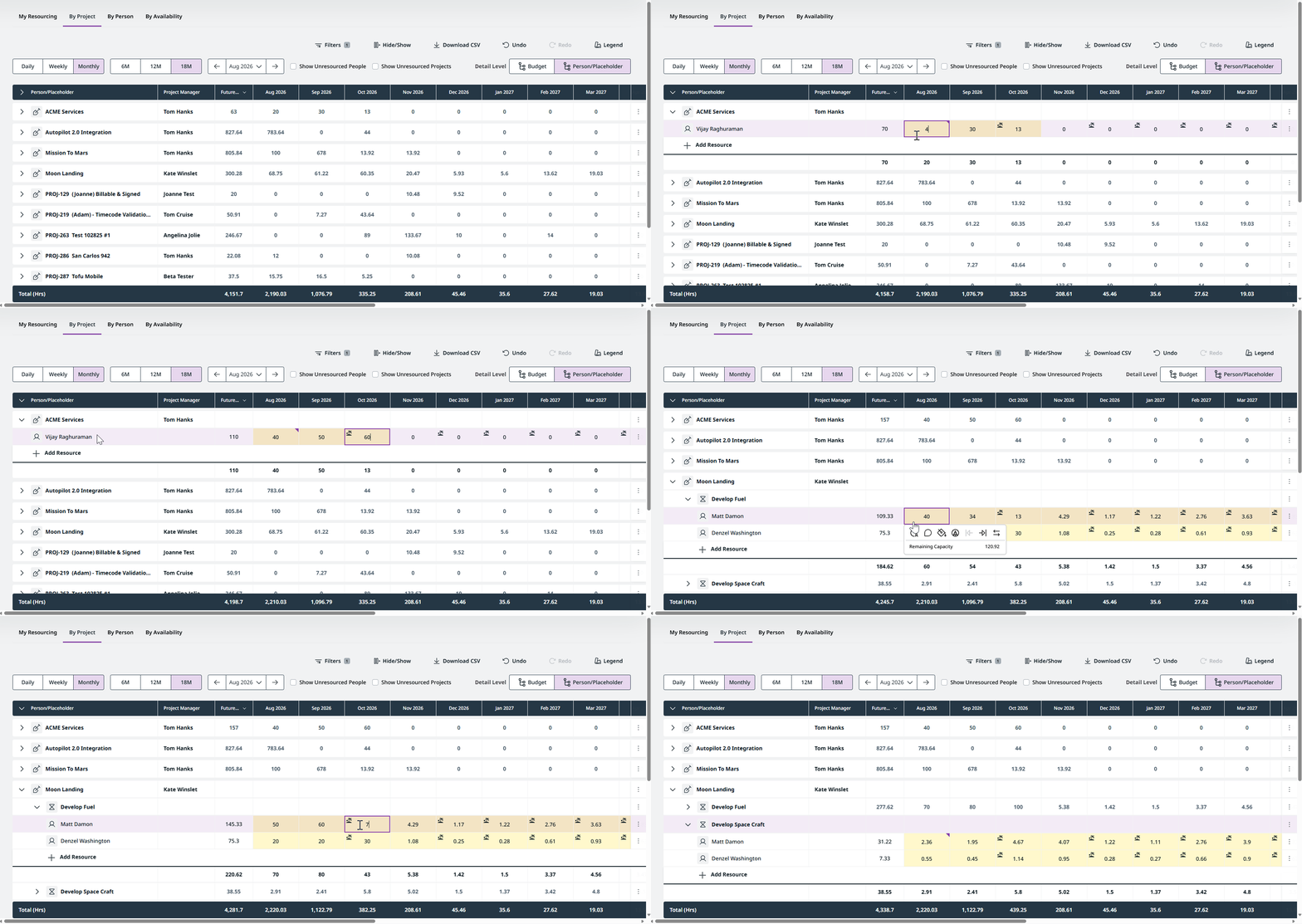
Manage Budget Level Resourced projects inline. Budget-level and project-level resourced projects can now be managed in the same way from the redesigned Resourcing by Project experience, without needing to open each individual project.
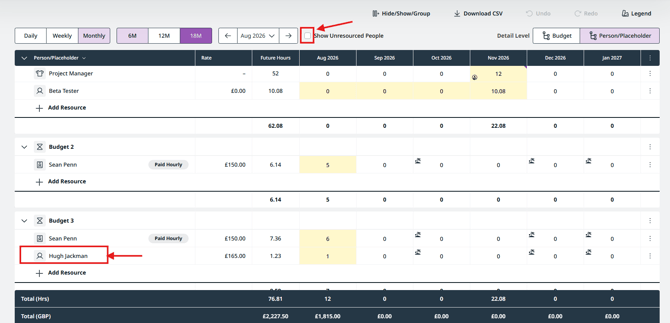
- Cleaner Budget Level Resourcing views. People are shown only under the Budgets they're actually resourced to. This removes the additional noise of people appearing in a Budget simply because they're resourced elsewhere on the Project. Turn on Show Unresourced People whenever you want to see additional people available to the Project.
-
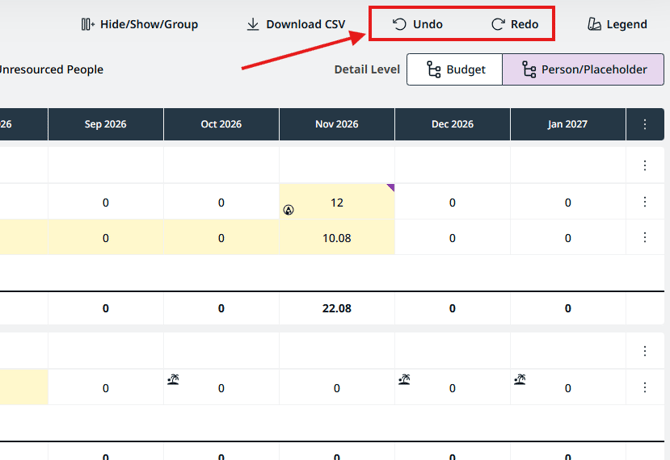
Undo and Redo. Quickly revert or reapply recent resourcing changes without leaving the grid.
-
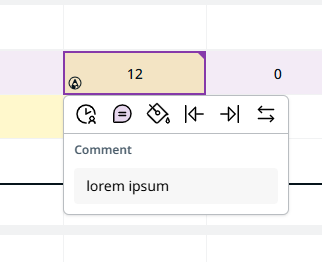
Comments on resourcing slots. Add a note directly to a resourcing slot from its actions menu.
Helpful Tips
-
-
Use a supported browser. The redesigned Resourcing experience relies on modern browser capabilities and may not work as expected on older browser versions. For the best experience, make sure you're using a supported browser and version.
-
Resourcing by Project supports up to 250 Projects in a single view. If your organization has more Projects than this, use filters to narrow the list.
- You can temporarily view the previous Resourcing experience by adding
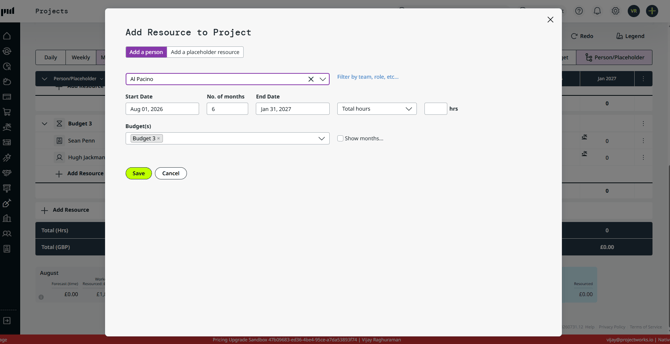
beta=falseto the page URL. For example,/Projects/Resourcingbecomes/Projects/Resourcing?beta=false. This can be useful if you want to compare the redesigned and previous experiences. - Some actions still use the existing dialogs. Add Resource, Add Project, Edit Placeholder, Swap Person/Placeholder, Delete Resourcing, and Update Resourcing currently open the same dialogs used in the previous experience. This is expected.
-
Known Gaps We're Working On
The following capabilities are not yet fully supported in the redesigned experience:
- More filters for My Resourcing and Person Resourcing. Some filters available in the previous Resourcing experience, including Contractual Status, aren't yet available in the redesigned My Resourcing and Person Resourcing pages. We're working to bring these back, along with additional filters to help you more easily narrow down the projects and resourcing information you need.
- Budget financials in CSV exports. Budget Amount, Budget Burn, Remaining Budget, Projected Burn, and Projected Remaining can now be displayed in the Resourcing pages, but aren't yet included in their CSV exports. We're working to add these fields to CSV exports across My Resourcing, Person Resourcing, Project Resourcing, Resourcing by Project, and Resourcing by Person.
- Detailed resourcing history. The ability to see who changed a resourcing entry and when is not yet available.