.png?width=280&height=39&name=Projectworks-Logo-Black-280px%20(1).png)
- Overview
- New in This Release
- How to Enable the Resourcing Redesign Beta
- Bulk Shifting
- Other Improvements in the Redesign
- Helpful Tips
Overview
We've redesigned the Resourcing experience in Projectworks to make it simpler, faster, and more intuitive.
During the beta period, you can opt in and enable the beta whenever you're ready to try the new experience, and you can always disable the beta and opt out if you want to switch back.
Once the redesign becomes the standard Resourcing experience for everyone, this toggle will no longer be available. We'll give you advance notice before that happens.
New in This Release
The September 21 release includes:
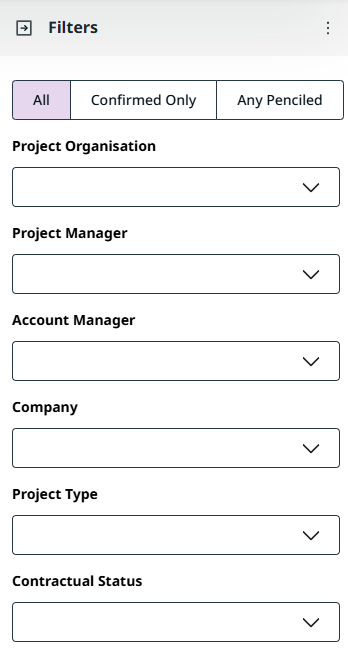
- More filters for My Resourcing and Person Resourcing. You can now narrow down resourcing using Confirmed/Penciled, Project Organisation, Project Manager, Account Manager, Company, Project Type, and Contractual Status. This restores Contractual Status from the previous Resourcing experience while also adding several new ways to focus the projects and resourcing information you need.
- See who changed a resourcing entry. You can now view the history of an individual resourcing slot, including who last changed it and when. Open the slot’s actions menu and select Details to view this information.
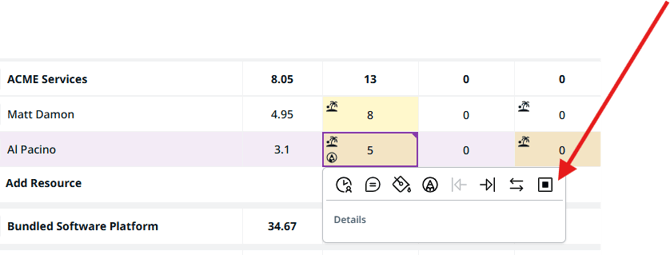
To view resourcing details
- Select a resourcing slot.
- Open the slot actions.
- Select Details.
- View information about who changed the resourcing entry and when.
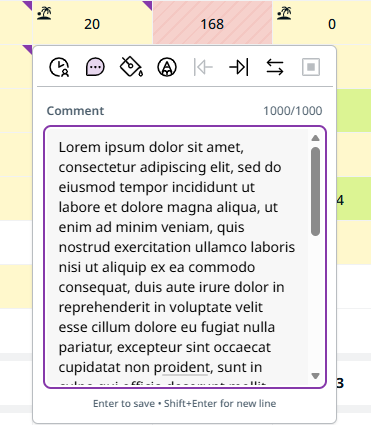
- Improved comments on resourcing slots. Comments now show a character/word count and can be resized, making longer notes easier to review and edit.
How to Enable the Resourcing Redesign Beta
-
Go to ⚙️ Settings > Beta Features
-
Toggle on “Resourcing Redesign (beta)”
Important: Enabling this setting applies to your entire account.
Any user in your organization who accesses Project > Resourcing, Resourcing by Project, Resourcing by Person, My Resourcing, or Person Resourcing will see the redesigned experience.
Bulk Shifting
What is Bulk Shifting?
Bulk Shifting lets you move resourcing forward or backward by multiple days, weeks, or months in a single action.
You can:
- Shift all resourcing for an entire Project.
- Shift all resourcing for an individual Budget.
- Shift a Person or Placeholder's resourcing on a Project or Budget.
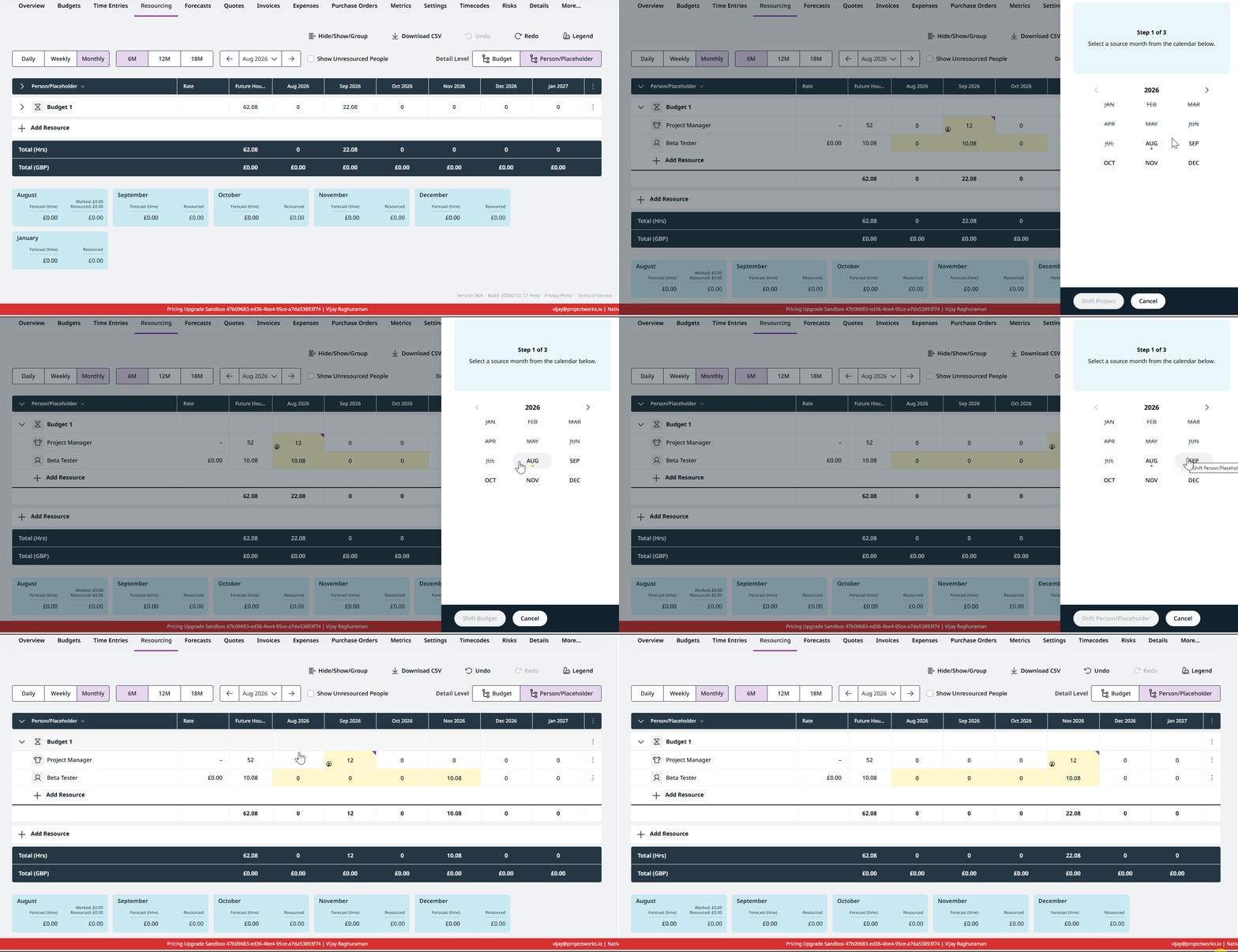
This is useful when a project timeline or phase changes and you need to move existing resourcing without adjusting each period individually.
How to shift an entire Project
- Open the Project’s resourcing plan.
- Click the ⋮ menu at the top-right of the Resourcing table.
- Select Shift Project.
- Choose how far you want to shift the resourcing, and whether to move it forward or backward.
- Click Shift Project to confirm.
How to shift an individual Budget
This is available for Projects resourced at the Budget level.
- Open the Project’s resourcing plan.
- Click the ⋮ menu at the far right of the Budget row.
- Select Shift Budget.
- Choose how far you want to shift the resourcing, and whether to move it forward or backward.
- Click Shift Budget to confirm.
How to shift a Person or Placeholder for a Project/Budget
- Open the Project’s resourcing plan.
- Click the ⋮ menu at the far right of the Person or Placeholder row.
- Select Shift Person/Placeholder.
- Choose how far you want to shift the resourcing, and whether to move it forward or backward.
- Click Shift Person/Placeholder to confirm.
Other Improvements in the Redesign
-
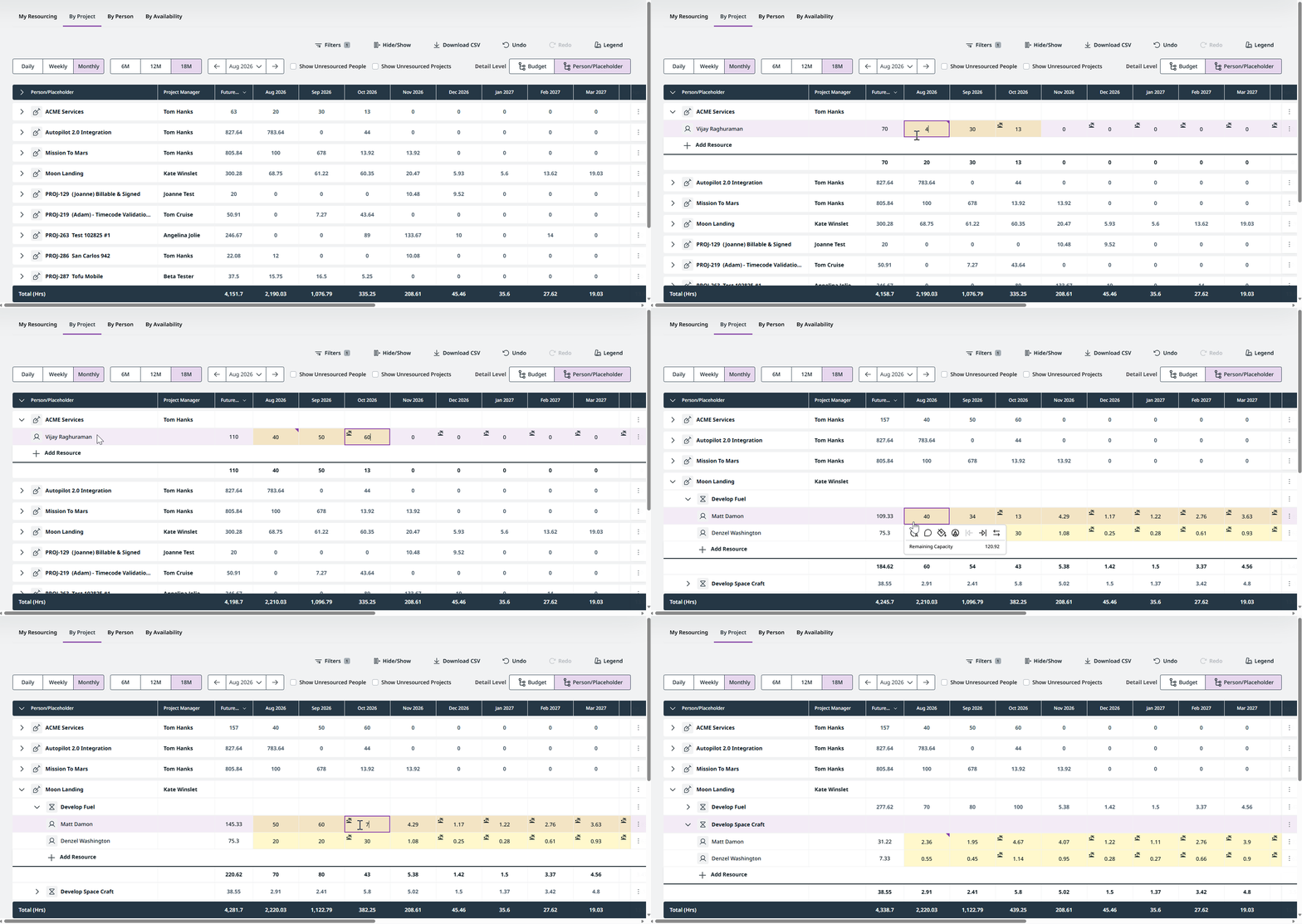
Manage Budget Level Resourced projects inline. Budget-level and project-level resourced projects can now be managed in the same way from the redesigned Resourcing by Project experience, without needing to open each individual project.
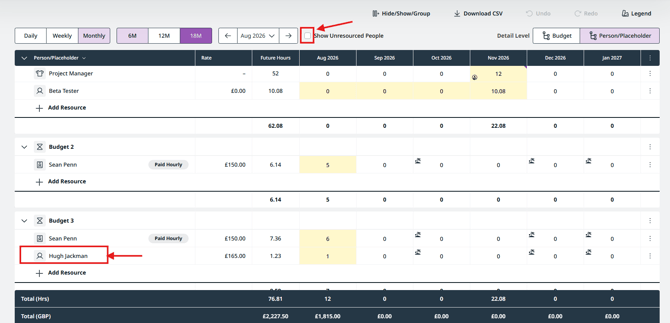
- Cleaner Budget Level Resourcing views. People are shown only under the Budgets they're actually resourced to. This removes the additional noise of people appearing in a Budget simply because they're resourced elsewhere on the Project. Turn on Show Unresourced People whenever you want to see additional people available to the Project.
-
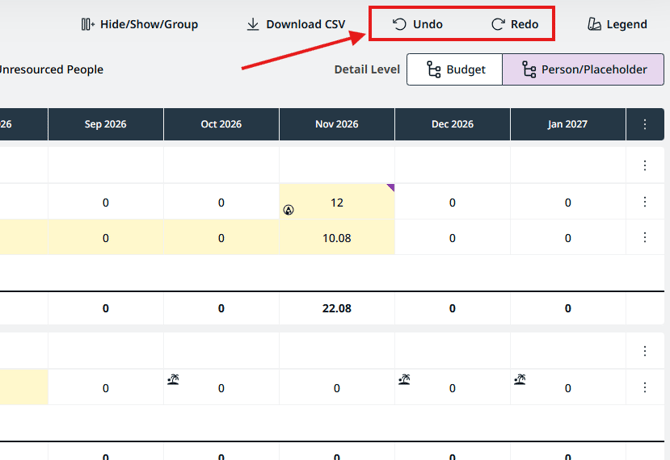
Undo and Redo. Quickly revert or reapply recent resourcing changes without leaving the grid.
-
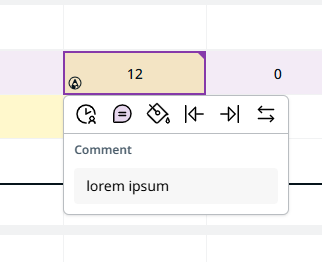
Comments on resourcing slots. Add notes directly to individual resourcing slots from the actions menu. Comments now support easier viewing and editing of longer notes, including comment length indicators and a resizable comment area.
Helpful Tips
-
-
Use a supported browser. The redesigned Resourcing experience relies on modern browser capabilities and may not work as expected on older browser versions. For the best experience, make sure you're using a supported browser and version.
-
Resourcing by Project supports up to 250 Projects in a single view. If your organization has more Projects than this, use filters to narrow the list.
- You can temporarily view the previous Resourcing experience by adding
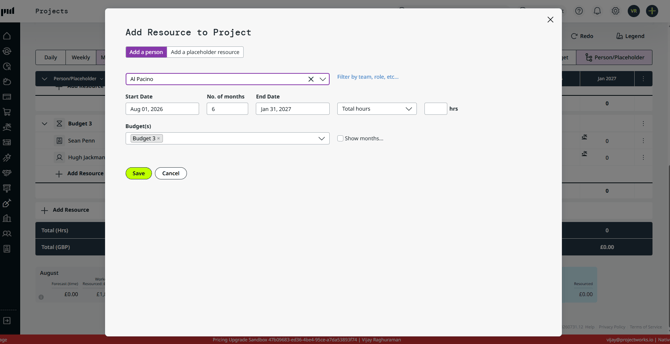
beta=falseto the page URL. For example,/Projects/Resourcingbecomes/Projects/Resourcing?beta=false. This can be useful if you want to compare the redesigned and previous experiences. - Some actions still use the existing dialogs. Add Resource, Add Project, Edit Placeholder, Swap Person/Placeholder, Delete Resourcing, and Update Resourcing currently open the same dialogs used in the previous experience. This is expected.
-
Known Gaps We're Working On
The following capabilities are not yet fully supported in the redesigned experience:
- Budget financials in CSV exports. Budget Amount, Budget Burn, Remaining Budget, Projected Burn, and Projected Remaining can now be displayed in the Resourcing pages, but aren't yet included in their CSV exports. We're working to add these fields to CSV exports across My Resourcing, Person Resourcing, Project Resourcing, Resourcing by Project, and Resourcing by Person.